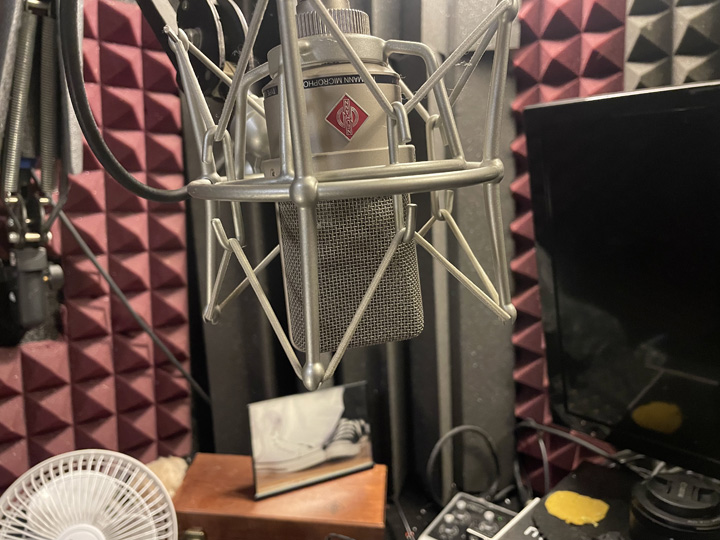
Voice Over for Corporate Training Videos: What Works and What Doesn’t
Corporate training videos have one job: get information from the screen into the person watching it. That sounds simple. The failure rate is not simple.
Most training video narration fails quietly. Nobody says anything because the content is required viewing and people sit through it anyway. But they’re not retaining it. They’re clicking through. They’re doing other things while the audio runs. The voice is background noise, not signal.
Here’s what separates training narration that works from narration that people tolerate.
The Biggest Problem: It Sounds Like It’s Being Read
The number one complaint people have about corporate training videos isn’t the content. It’s that the voice sounds like someone reading from a script. Which, technically, they are. But the job of professional voice talent is to make that invisible.
When learners hear “someone reading a script,” their brain categorizes the content as lower priority. They disengage. This is not a conscious decision. It’s how humans process audio. Authentic-sounding speech signals that this is worth paying attention to. Robotic or over-performed delivery signals that it isn’t.
This is why broadcast experience matters in training narration. Radio and television trained me to communicate to people who are half-listening. Corporate training audiences are exactly that. Getting through to a distracted listener is a specific skill, not a default.
Pacing Is the Underrated Variable
Too fast and the learner can’t absorb. Too slow and they check out. The right pace for training narration is slightly slower than normal conversation, with deliberate pauses after key points. Those pauses aren’t dead air. They’re the moment the information settles.
Most VO artists don’t think about this consciously. They think about it as “delivery” or “performance.” But in e-learning and training contexts, it’s specifically about giving the learner’s brain enough time to process before moving to the next concept. That’s not a style choice. It’s a retention mechanism.
Match the Tone to the Material
Compliance training should not sound the same as product training. Safety content requires a different weight than sales enablement content. Leadership development content has a different emotional register than software onboarding.
Generic “professional narrator” tone is the default because it’s safe. It’s also the reason most training content is forgettable. If the material has stakes, the voice should reflect that. If it’s meant to motivate, the narration should carry some energy. If it’s instructional and technical, calm and clear wins over energetic.
Brief your voice talent on what the material is trying to do, not just what it contains. The what is in the script. The why changes the performance.
What to Send When You Hire
The script, finalized. The name of any technical terms, acronyms, or product names that have specific pronunciations. The tone brief (or even a reference video that has the feel you want). The file format your authoring tool requires.
That’s it. A clean brief gets you clean audio. The more I know going in, the fewer rounds of revision you’ll need.
Working With Me on Training Projects
I work directly with instructional designers, L&D teams, and the production agencies they hire. Most training projects run on a per-word or per-finished-minute rate. Ongoing modules and course series often have a set rate per project once we’ve worked together.
Turnaround is typically 24-48 hours for standard modules. Long-form courses are scoped individually. Send the details and I’ll get back to you the same day.
Resources on Training Video Production
The Association for Talent Development covers best practices in corporate learning content. For audio production benchmarks in e-learning, the GVAA Rate Guide includes word rates and standards used by professional narrators.
Resources on Training Video Production
The Association for Talent Development covers best practices in corporate learning content. The GVAA Rate Guide includes e-learning word rates and production standards used by professional narrators.